
How to Search the Jefferson County Court Docket
Know which court holds the case. The Jefferson County Odyssey portal is the county's modern access point, but it asks you to register and sign in first. One login will not open every matter either. District civil, family, and criminal indexes remain useful for older cases, and each city court keeps its own traffic and ordinance docket. A full cause number is your best search key. Without it, gather the party name, the likely filing year, the case type, and the court level. Name-only hits can point to someone else. They can also match a recorded instrument rather than a real lawsuit. Save the search date and range. Then confirm anything important with the clerk.
- Identify the issuing or assigned court from the notice, citation, or pleading.
- Use the cause number, or narrow a party search by year and case type.
- Read filings and settings without treating a scheduled event as a result.
- Compare a calendar entry with the later docket entry or signed order.
- Ask the responsible clerk for a certified copy when proof is needed.
Jefferson County Portal Access
Odyssey serves as the case-management system for both the Jefferson County District Clerk and the County Clerk. The landing page offers Register and Sign In buttons. Activation happens by email, security questions, and role selection. Some users whose account is based outside Jefferson County must request county access and wait for approval. Not every field is visible without signing in. Do not expect anonymous access. Nor should you count on instant approval, bulk export, or full document access. A blank result is not proof. Call the proper clerk about a case the portal will not show. The official Odyssey portal shows the sign-in entry point used for Jefferson County court dockets.
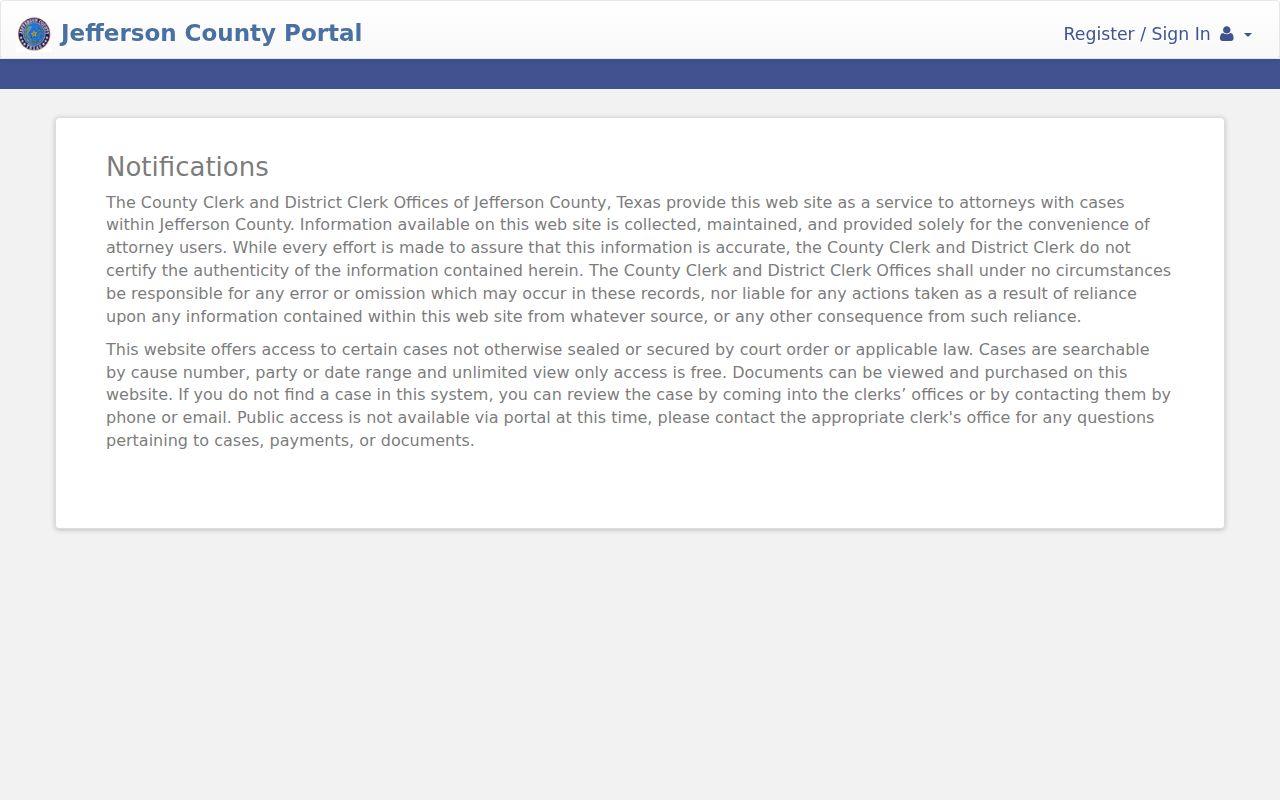
The official access page shows the gate requirements for the Jefferson County court docket portal, while the clerk handles copies.
What a Jefferson County Court Docket Shows
A Jefferson County court docket tracks a case; it is not the whole file. It can identify the court and cause number. It also lists the filing date, case type, parties, motions, settings, and recorded result. Each entry needs context. An indictment is a charge, not a conviction. A motion to dismiss is a request, not proof the judge granted it. A plea setting does not prove a plea was entered.
| Case Number | The court identifier, such as civil sample 25DCCV0436. |
|---|---|
| Parties | The case style and roles, subject to redaction or access limits. |
| Docket Entries / Filings | Pleadings, notices, motions, orders, and other indexed events. |
| Hearing Settings | The date, time, court, and purpose of a planned event. |
| Court & Judge | The assigned Jefferson County court and judicial officer. |
| Disposition | The outcome, best verified against the signed order or judgment. |
Jefferson County Setting Terms
Jefferson County calendars lean on short setting labels. A label describes why a case is set, not what happened next. The County Courts at Law post announcement, plea, and initial appearance settings. Jail-run, pretrial, trial, and MTRP settings appear there too. District civil calendars add status conferences, motion hearings, and try-or-dismiss posture.
- Announcement
- A readiness setting that may lead to trial, a reset, or another filing.
- MTRP
- A motion to revoke probation, not a revocation judgment.
- DWOP
- Dismissal for want of prosecution; check for a signed order and later action.
- Continuance
- A moved setting; confirm the next date in a notice, order, or later entry.
- Try or dismiss
- A 58th District Court calendar posture, not automatic proof of dismissal.
Read the label with its date. The entries that follow tell you what actually happened, which keeps a calendar note from reading as a final ruling.
Which Jefferson County Courts Keep Dockets
Jefferson County splits its court dockets by jurisdiction. The District Clerk keeps district cases, while the County Clerk serves the county courts at law and constitutional county functions. Justice and municipal courts keep their own lower-court records. Federal matters sit in the Eastern District of Texas, outside the county Odyssey system.
| Court | Docket Covers | Where to Search |
|---|---|---|
| District courts | Felony, general civil, family, assigned juvenile | District Clerk, Odyssey, district indexes |
| County courts at law | County misdemeanors and civil matters | County Clerk and court pages |
| Probate Court | Probate, guardianship, mental health | County Clerk and probate request |
| Justice courts | Evictions, small claims, debt, Class C | The precise precinct and place |
| Municipal courts | City traffic, ordinance, fine-only Class C | The issuing city court |
| Federal court | Federal civil and criminal matters | PACER or Eastern District CM/ECF |
Jefferson County Index Time Layers
Filing year decides which index you need. The historical civil and domestic indexes generally cover 1985 through 2022. The older criminal index generally runs 1981 through 2022. A separate current criminal index, created or updated in July 2026, expressly omits security-restricted matters such as sealed and juvenile records. Older material can predate web indexes entirely. The county archive lists civil dockets, indexes, and minutes from 1844 through 1984, later minutes on paper or film, paper filings from 1988 forward, and execution docket books spanning 1850 through 2004. Even a correct name may not be enough. Old cases can require an archive or clerk request.
Search by era: a missing result can reflect an index cutoff, migration, spelling difference, restriction, or another court.
Finding Jefferson County Court Dates
Court-by-court PDF calendars are the strongest public source. District courts and County Courts at Law publish daily hearings, trial lists, announcements, pleas, initial appearances, MTRP settings, and revised calendars. Each PDF is a snapshot. Save its date and note whether it says revised. Then compare it against the case docket. The 60th District Court sample lists time, cause number, case type, filing date, setting type, and counsel. The 58th District Court trial docket requires an announcement by docket call, though it need not be made in person. The full Jefferson County court calendar process details how to confirm dates.
Jefferson County Calendar Traps
A setting describes planned court work, nothing more. It does not prove a hearing occurred or a motion was granted. A status conference is case management, not a trial. A "settled" or "try or dismiss" note can be calendar posture rather than a signed final judgment. Schedules vary by court. The 279th District Court lists weekday docket blocks but keeps Tuesdays for CPS and juvenile work. Revised 317th policies require written or emailed coordination plus a Notice of Court Proceeding. County Courts at Law use their own weekly mix. Check the assigned court before trusting a recurring slot. When a date shifts, look for a continuance order, reset entry, notice, or later calendar. If they conflict, the coordinator or clerk can identify the operative setting.
Public Access to Jefferson County Dockets
Texas court records do not travel the same route as ordinary county records. Government Code section 552.0035 keeps judiciary information separate. It sits under Supreme Court rules, other law, and court rules. A narrow written request works best. Send it to the office that actually holds the docket, not to a general inbox.
Key Rules:
Texas Government Code § 552.0035 assigns judiciary access to judicial rules and other law.
Texas Rule of Judicial Administration 12 provides a written judicial-record request framework.
Texas Rule of Civil Procedure 76a starts from open civil records but permits sealing through its process.
Restricted Jefferson County Dockets
An empty search result is not the end of the story. A Jefferson County case can be juvenile, sealed, expunged, nondisclosed, or protected by statute. It may simply sit outside the index you searched. The county's own criminal index notes one exclusion. It leaves out security matters, including sealed and juvenile records. Family, adoption, protective-order, mental-health, guardianship, and juvenile files often carry extra limits. A public CPS calendar does not open the underlying file to the public. Ask instead whether an index entry is available. A redacted copy or a released order may be an option too. Resist the temptation to reconstruct restricted content from some other portal. Make the request precise. Name the court, the cause number, the document, and the date range. You can also ask the clerk to cite the rule or order behind any withholding. Ask that whatever is public be separated and released.
The Jefferson County Clerk Split
No single clerk holds every Jefferson County court docket. The District Clerk keeps district proceedings, which covers felony, civil, family, and assigned juvenile work. The County Clerk, in turn, handles county-court-at-law cases. It also handles constitutional county functions such as probate and mental health. Municipal and justice courts stay outside both offices. Whatever you request, give the cause number, the court, the date range, and the exact document. Say whether a plain or certified copy is required. Email, phone, counter service, public terminals, and written requests can fill the gaps an index leaves behind. Each office also spreads out geographically. The District Clerk lists separate lines for family law, child support, and a Port Arthur contact. The County Clerk runs a Port Arthur suboffice for some county functions as well. These routes never change which office owns a file. But they can spare a wrong-counter trip. Check the county phone directory before traveling. Courtrooms and clerk offices sit under both 1085 Pearl Street and 1149 Pearl Street. Keep any written request narrow. Ask for the docket sheet plus a named order, judgment, motion, bond record, or fee ledger. Do not ask for every page in the case. Include the event date or entry number when you know it. If part of a record is restricted, ask whether the clerk can produce a redacted public copy. That wording helps the clerk find the right record and quote the correct copy or certification charge.
Jefferson County District Clerk
1085 Pearl Street, Room 203
Beaumont, TX 77701
(409) 835-8580
Jefferson County Clerk
1085 Pearl Street, first floor
Beaumont, TX 77701
(409) 835-8475
Jefferson County Copy Choices
Jefferson County offers three distinct products, and mixing them up wastes time. An index only locates a case. A calendar shows court work that has been planned. A clerk copy supplies an actual document, and certification authenticates that copy when official proof is required.
| Product | Research finding | Action |
|---|---|---|
| Plain court copy | General price varies | Ask the custodian |
| Probate copy | Form lists $1 per page | Confirm total |
| Probate certification | Form lists $5 | Specify certified |
| Official-record filing | $25 first page, $4 later pages in 2025 notice | Do not use as a court-copy rate |
One caution on probate. The probate form carries conflicting unknown-case-number search language, so confirm that charge directly. Also, never generalize a portal purchase price to every Jefferson County docket, since fees vary by office and record type.
Jefferson County E-Filing Trail
District Clerk e-filing guidance walks through the Texas electronic route. It covers most civil and family matters. Acceptance creates a filing event and a local case-management entry. It does not mean the judge granted anything or set a hearing. After a cause number is issued, the assigned court coordinates the setting. County Clerk standards add useful detail. Separate documents need separate filing codes. Proposed orders must be marked as proposed. Exhibits should be scanned with the pleading, and attachments are not separately file-marked. That is why one lead filing sometimes holds an exhibit inside its own PDF. re:SearchTX adds a statewide layer for participating courts through registered eFileTexas credentials. Its case, filing, text, and hearing tools are genuinely helpful. Still, integration does not prove every Jefferson County record is present.
Court Dockets by City in Jefferson County
Each of the five largest incorporated cities in Jefferson County runs its own municipal court. These handle traffic, ordinance, and fine-only Class C matters. A city citation will not appear in the District Clerk felony index or the County Clerk official-records portal. Start with the issuing court. Use its citation search where one exists. Confirm any setting or remedy with that court directly.
Beaumont Court Docket
2020 population 115,282 · Citation search and several response routes
Port Arthur Court Docket
2020 population 56,039 · Court sessions and citation portal
Nederland Court Docket
2020 population 18,856 · Detailed plea and payment process
Groves Court Docket
2020 population 17,335 · Four recurring setting types
Port Neches Court Docket
2020 population 13,692 · Citation portal and city reports
Map and Directions to the Jefferson County District Clerk's Office
District Clerk records for Jefferson County's district courts — felony, civil, family, and assigned juvenile matters — are kept at 1085 Pearl Street, Room 203, in downtown Beaumont. The County Clerk's office for county-court-at-law, probate, and county civil matters sits in the same building on the first floor. The county's 14-story Art Deco courthouse tower at 1149 Pearl Street also houses county-court offices, and some county-court-at-law rooms alternate between the two Pearl Street addresses, so confirming the room by phone before a visit saves a trip to the wrong counter.
Jefferson County District Clerk
1085 Pearl Street, Room 203
Beaumont, TX 77701
(409) 835-8580
Jefferson County Clerk
1085 Pearl Street, first floor
Beaumont, TX 77701
(409) 835-8475
The county's main line, (409) 835-8400, can confirm which Pearl Street address and room currently host a specific court. No parking or security-screening policy for the clerk's building is published in county materials, so ask about that when you call ahead.